
Prayukth K V
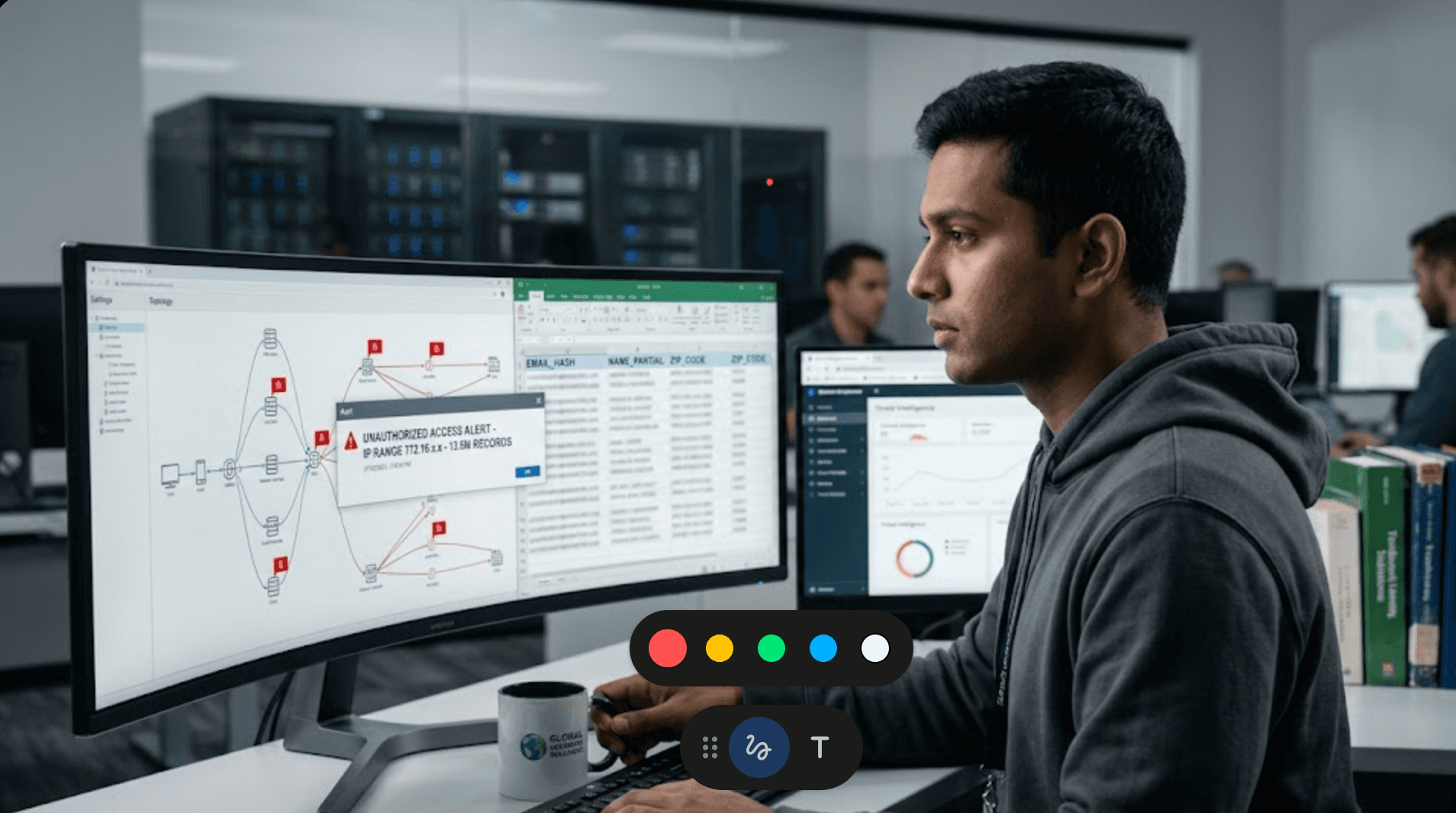
Few days ago, the educational publishing giant McGraw Hill disclosed a cyber incident involving the notorious threat actor group ShinyHunters. The episode began as a "limited access" incident and as per company sources rapidly escalated in proportion as nearly 13 million records hit the Dark Web and were lapped up by data brokers. While McGraw Hill has claimed that ShinyHunters exploited a misconfiguration in the compromised Salesforce environment to execute the breach, the incident has not impacted its other Salesforce accounts, courseware, customer databases, or internal systems.
A breach is still a breach. Data was leaked including credentials and things did go wrong at the identify and access governance part in the application layer. In today’s blog post we investigate this incident and come up with ways to prevent a recurrence.
Before we commence the deep dive, don’t forget to check out our previous blog post titled Top 15 challenges in CPS protection and how OT teams can address them here.
Breach timeline and attack vector
The breach surfaced publicly on April 14, 2026. This coincided with a ransom deadline set by ShinyHunters.
The root cause: The "experience cloud" trap
The primary vector was not a zero-day exploit. It was instead a misconfiguration in Salesforce’s Experience Cloud (formerly Community Cloud). Enterprises use these features to build public or partner-facing portals for customers and partners.
Guest User Permissions: By default, Salesforce has tightened guest user permissions over the last few years. However, legacy configurations often remain. In this case, it appears Guest User profiles were granted excessive privileges in the form of "Read" access to internal objects.
· The "Aura" Exploitation: ShinyHunters has been observed using automated scanners to query Salesforce Aura components to identify weak points. By hitting specific unauthenticated endpoints, they can "fuzz" the system or to be more specific:
o Abuse of /s/sfsites/aura or /aura endpoints
o Calling server-side Apex controllers
o Exploiting improperly exposed @AuraEnabled methods
o Combined with guest user context
( to extract records that aren't properly secured by Object Permissions (CRUD), FLS, and Sharing Model.)
The data discrepancy
Source | Claimed Impact | Data Types |
McGraw Hill | "Limited set of non-sensitive data" | Names, Emails (Non-PII context) |
ShinyHunters | 45 Million Salesforce records | Full PII, User IDs |
External Validation | 13.5 Million unique emails | Names, Phones, Physical Addresses |
Shieldworkz research | - | Many generic email ids (info, support) have been compromised |
Our hypothesis: The inconsistent data structure found in the leaked files suggests the attackers didn't just dump a single database; instead they "scraped" data across multiple Salesforce objects over an extended period. This points to a low-and-slow/prolonged exfiltration strategy that bypassed traditional volume-based alert triggers.
ShinyHunters were in the system for a while and exfiltrated data slowly.
Forensic deep dive: "Limited" vs. "lethal"
McGraw Hill was quick to state that Social Security Numbers and financial data were not involved in the breach. While this statement is technically accurate, this could be viewed as an attempt to underplay the full impact of the breach. While the breached data may not include SSNs, hackers and hacktivists will use the leaked credentials to gain access to other parts of McGraw Hill infrastructure.
While financial and highly sensitive identifiers may not have been exposed in this breach, the risk of a major attack remains significant enough to draw attention and action. Email addresses and associated metadata are routinely leveraged in:
Credential stuffing attacks
Phishing campaigns
Identity correlation using OSINT datasets
Over time, such datasets enable attackers to build behavioral and organizational identity graphs, increasing the probability of successful compromise in future campaigns. We can even consider another scenario that might play out.
Each time credentials are leaked, hackers feed the data into SLMs to predict password patterns at an individual level through password modelling (or even credential stuffing). Over a period, as some of the victims whose data was breached move to senior positions (either in the same company or elsewhere), there is enough data available to guess future passwords. The risk of a major breach increases with each such incident. Thus, such incidents should be seen as an opportunity to break such patterns and to bring in more unpredictability.
The threat actor: ShinyHunters
You may remember ShinyHunters from this incident. They have evolved in a manner of speaking. They no longer bother with complex encryption (ransomware) and selling decryptors. They are turned into pure extortionists (as pure as they come).
ShinyHunters TTPs
Asset Discovery
Scanning for exposed Salesforce Experience Cloud domains (*.force.com, *.site.com)
Endpoint Enumeration
Targeting:
/s/
/aura
Identifying callable server-side components
Privilege Abuse
Operating within:
Guest user context
Misconfigured standard profiles
Data Extraction
Automated harvesting via scripted requests
Focus on high-value objects (Contacts, Users, Accounts)
Extortion Workflow
Leak sample publication
Direct negotiation or affiliate resale
Preventive measures: Closing the vault
To prevent your organization from becoming a victim of this group, you need to implement these "Zero Trust" Salesforce configurations immediately:
Strategic hardening
Disable "Public Access" by Default: Audit every Salesforce Site and Experience Cloud portal. Ensure "Public Access" is only enabled for pages that strictly require it.
The "Guest User" Lockdown: Use the Guest User Sharing Rules to ensure that guest users can never access records by default. They should only see what is explicitly shared via "Secure Guest User Sharing" rules.
API Security: Restrict API access to specific IP ranges and enforce Mutual TLS (mTLS) for sensitive integrations.
Audit all public access sites and privileges. Withdraw privileges that are no longer required
Initiate change of credentials for all external email IDs and then ask all internal employees to change their credentials. The new passwords should not use any patterns or alphabets or special characters from old ones
· Audit Aura-enabled Apex Classes
· Identify all @AuraEnabled methods
· Ensure:
o Authentication checks
o Input validation
o No direct object exposure
· Experience Cloud Hardening
· Review all sites:
o Remove unused endpoints
o Disable public access where unnecessary
· Connected App Governance
· Enforce:
o IP Relaxation = Restricted
o High Assurance Sessions
o OAuth scope minimization
Tactical controls
Salesforce Shield (Event Monitoring): Enable Shield to track "Report Export" and "Bulk API" events. If a guest user (or any user) suddenly accesses multiple records, the system should ideally auto-quarantine the session and raise multi-level alert. We are talking about transaction security policies, event monitoring and custom rules that cover multiple scenarios.
Field-Level Security (FLS): Even if a user can see an object, they shouldn't see every field. Mask PII fields for all but the most essential administrative roles.
Monitor:
· URI access patterns (/aura, /s/)
· API event spikes
· Report exports
KPIs: How to track your exposure
You cannot manage what you do not measure. Track these metrics monthly:
Guest user permissions count: Number of objects accessible to unauthenticated "Guest" profiles. (Target: 0 for sensitive objects).
Configuration Drift Rate: How often "Permissive" settings are introduced after a deployment cycle.
Mean Time to Detection (MTTD) for Bulk Exports: How many minutes pass between a mass-data-query and a SOC alert.
Percentage of users with MFA: Ensure that every single internal and partner users are governed by Multi-Factor Authentication.
The McGraw Hill incident is a classic case of SaaS Sprawl. When a company moves fast to provide digital learning platforms, security often lags convenience.
This was not a breach of infrastructure. It was a failure of configuration discipline in a SaaS environment. ShinyHunters didn't "break in". Instead, they walked through a door that was left ajar for the sake of "user experience."The attacker did not exploit a vulnerability in the conventional sense. They operated within the boundaries of what the system essentially permitted.
For the 13.5 million individuals whose data is now in the wild, the lesson is clear: In the cloud, configuration is an essential security element.
Keep your logs tight and your permissions tighter.
Additional resources
Comprehensive Guide to Network Detection and Response NDR in 2026 here
A downloadable report on the Stryker cyber incident here
Remediation Guides here
OT Security Best Practices and Risk Assessment Guidance here
IEC 62443-based OT/ICS risk assessment checklist for the food and beverage manufacturing sector here
Get Weekly
Resources & News
See How Our Industry-Leading OT Security Solutions Address Critical Security Challenges
You may also like

Yggdrasil, Russia-linked cyber operations, and emerging risks to global enterprises and governments
Prayukth K V

NERC CIP Asset Inventory Management: Closing Visibility Gaps Across OT Networks
Team Shieldworkz

SBI data exposure: Evidence, attack scenarios and downstream fraud risk
Prayukth K V

Automate OT Security Assessments Without Losing Expert Control
Team Shieldworkz

Investigating pro-Russian cyber campaigns against France’s maritime and critical infrastructure
Prayukth K V

What the French supermarket cyberattack reveals about OT security
Prayukth K V